
 Română
 Polski
 Deutsch

- Out-of-Stock
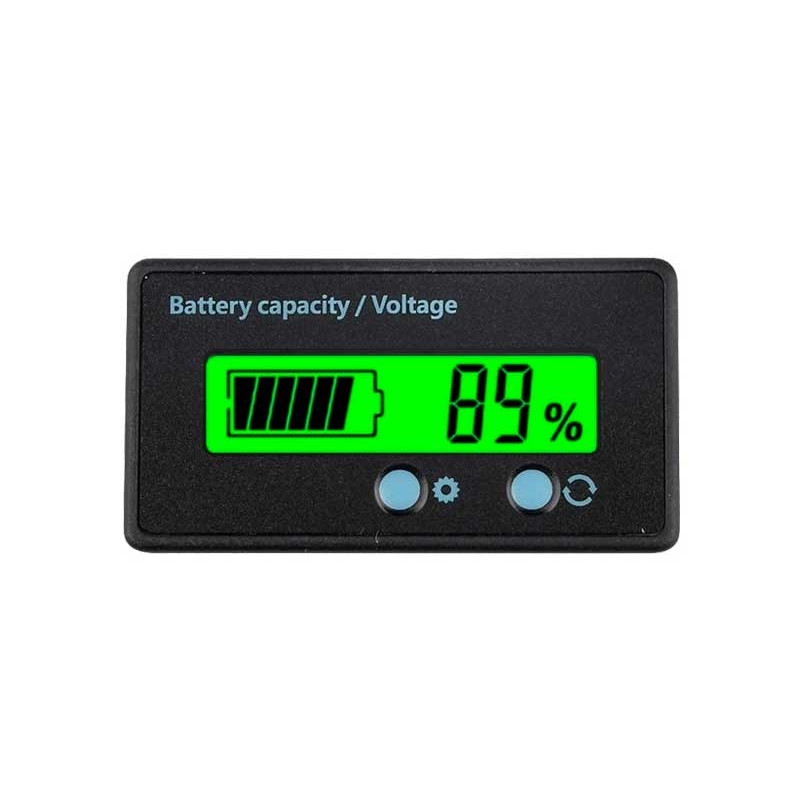
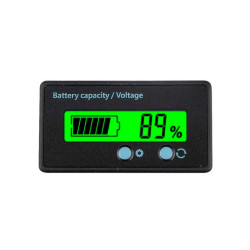
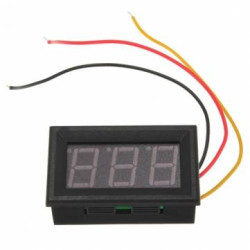
< style = "margin: 0px; padding: 0px; max-width: 100%; font-size: 22px;"> 12v/24v/36V/48V Lead LifePO4 Lithium capacity Capacity Digital Indicator Voltmeter Voltage Tester Voltage Meter
Features: /> Battery Capacity and Voltage Meter.
LCD Backlit Screen.
Long Service Life Button With Comfortable Feeling. Capacity Meter, Need to Set Up by Yourself. Green, Blue
Material: ABS
Size: 61.3 * 33.3 13.5 mm
Cable Length: 30cm
Voltage Range: DC 6-63V (not exceed the Voltage)
Load Current circuit: <5ma
Suitable for: 2S-1S Lardehium Battery; 12V, 24V, 36V, 48V Lead Acid Battery; 3S-16s Lithium Iron Phosphate Battery
Setting Procedure: < /Span>
1. Disconnect the module Power Supply, Press and Hold the Set Key Until Powering the Module. Display Shows The Current Power Setting Parameters;
2. Short Press the set Key to select p / l / f (p = 12v acid lead, l = 3.7v lithium battery, f = 3.2v lithium Iron phosphite Battery) ;
3. Short Press the Function Key to Set the Number of Battery String. Press the Function Key for a long time to enter the Advanced Setting Interface, use Set Key to Select S1-S5, Press Function Key to Select or Cancel the Current Mode (in Advanced Mode, The Small Cell in the Battery Symbol Corresponds to S1-S5. For Example, S3 Corresponds to the Third Small Cell, Display Means to Be Being and No. to be Cancelled) ;
5. Reenergize The Power After Setting. The Module Automatically Save Save Setting Date.
e.g. 10 Lithium Battery Power, Turn on Power Percentage and Voltage Automatic Rotation Display (S1 MODE)
Operation: Disconnect Display Power, Press and Hold the Set Key, Power the Module, Press the Set Key for a Short to select l, Press the Function Key To Select 10, Press The Function The Function Function for Function a long time to select s1 and repower then.
setting instructions: < /span>
< Style = "Font-Weight: 700;"> S1: %/V rotate Display in 2s
Power Percentage and Voltage has Displayed in Recurrently and Automaticly;
S2: inactivity sleep in 10s /> Automatically Sleep After Battery Capacity Display for 10s, Save Power, Press the Function Key to Wake Up Power Display for 10 Seconds;
S3: Turn on Backlights
Power Display Turns on Or off Power Backlight;
S4: Show Logo (Applicable to Small Battery Icon)
Logo icon is Located in the Under Symbol on the Left Side of Lcd, Turn on and Show The Logo;
S5: Dischange Mode Selection Power Displays Two Kinds of Battery Dischange, Different Environments to Select Approcta Battery Dischange Modes