
 Română
 Polski
 Deutsch

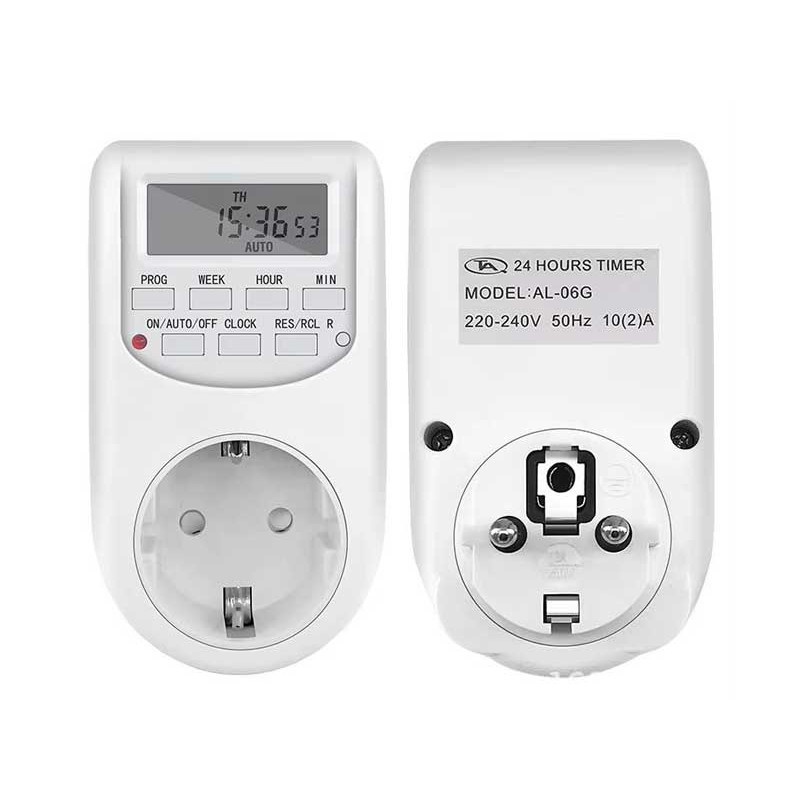

✅ number of programs: up to 16 programmable groups
✅ carcass material: polycarbonate (PC)
✅ operating temperature: 0 ° C ~ 40 ° C
✅ voltage/frequency: 230V, 50Hz (EU type)
✅ precision: ± 1 minute/month
✅ minimum programmable interval: 1 minute
During the configuration, if nothing is operated for 20 seconds, the display will automatically return to local time.
To reset or recall your saved data, press the "RES/Re/Rec" button from the setting menu.
hold the "Clock" button and press "Week" to select the day of the week.
then press the "Hour" buttons and "minutes" to set the current time and minute.
for fast adjustments, continually press any of these buttons.
release all the buttons to save the time and day.
for modification, reset and resume previous steps.
Press the "Timer" button - "1 ON" will appear on the screen.
Press "Week" to choose the day or group of days, then set the time and minute using the appropriate buttons.
Press "timer" again to move on to the stop program - "1 off" will appear.
Repeat the same steps for stop settings.
The completed program is considered a setting group .
interior/exterior lighting control
home appliance automation
daily/weekly operating programs
energy savings in offices and housing